
31/10/2023
Franck Bugnet
Video
How to
How to create personalized price labels in PrestaShop, with barcodes, photos, crossed-out prices...
Natively, PrestaShop does not know how to produce price labels. So we added this capability in Merlin Backoffice ™
There are two versions of our label generator. The basic version already integrated, which is sufficient in most cases, and a more complete PRO extension, to make all kinds of labels without limit. The video tutorial below covers both versions in detail.
Overview of the pro extension:
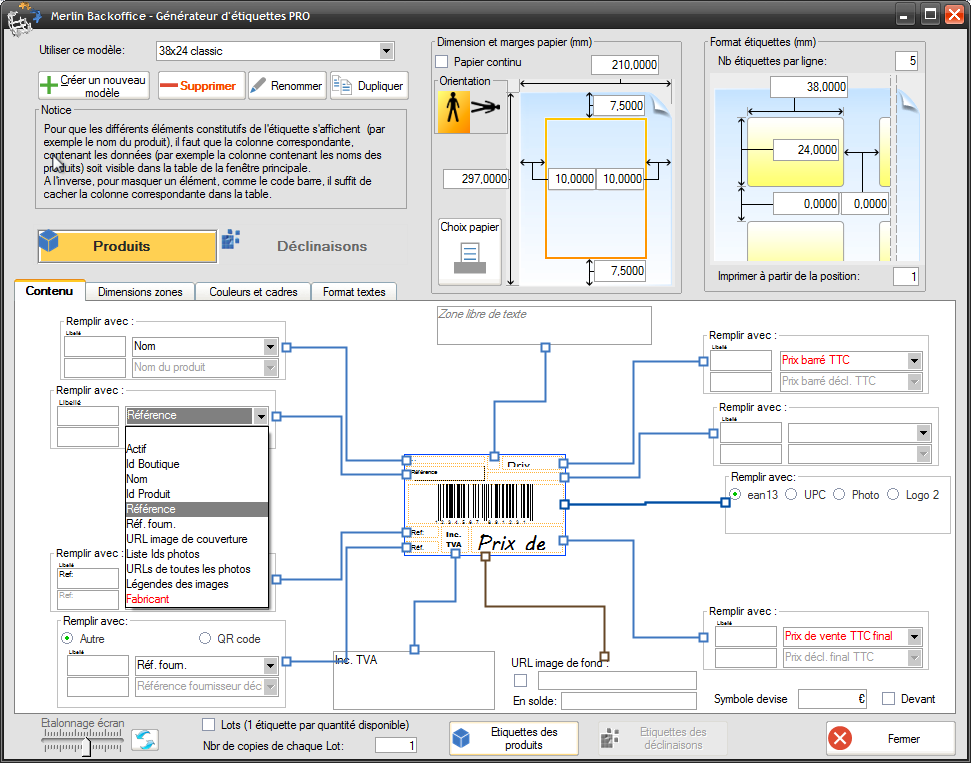
Some examples of labels that can be produced with this module in the pro version:
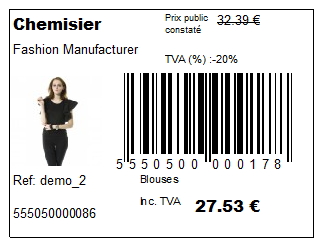
Rich price label, with product name, photo, crossed-out price, barcode, VAT, references, brand, category... :
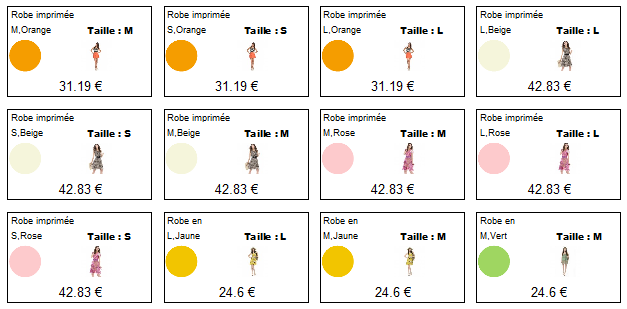
Price labels for various colors and sizes, with colored sticker featuring attribute color and size indication:
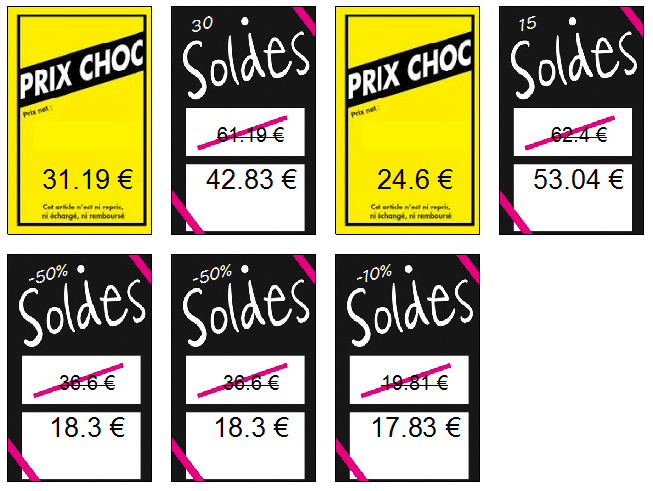
Price labels for sales, with crossed-out prices and background image:
The number of possibilities is simply infinite - you can even create round labels!
Complete tutorial on our custom price tag generation module for PrestaShop (in French)
This training is a real step-by-step guide, covering both versions of the generator. More than a dozen examples of labels, rectangular or round, simple or very rich, colored or monochrome are dissected to teach you how to make them yourself, or invent new ones even more customized.
resolution
Increase the resolution to 720p if the video is too blurry, replay it in Auto if it freezes.
Envy to create beautiful labels, get started risk-free, it's 100% free for 15 days:
Category's other articles Mass price management on PrestaShop
-
How to display the products prices with correct taxes ?
How to
In our PrestaPricing and Merlin add-ons, select the correct settings to ensure that the taxes added to products price take into account the country of the buyer
-
Module PrestaShop de gestion prix et remises par groupes de clients
-
How to activate or modify PrestaShop VAT without modifying prices
How to
Quick and easy way to maintain the same sales prices including VAT in PrestaShop, before and after VAT activation, when VAT exemption is lost, or when legal rates change, thanks to the Merlin Backoffice module.
-
Mass management of VAT on Prestashop to activate or modify it
How to
Find out how the PrestaShop mass management module can also be used to associate or modify a tax rule on hundreds or thousands of products in a single operation.
-
How to display crossed-out prices in Prestashop and the sale logo
Guide
How to
Not all methods for modifying prices in PrestaShop create crossed-out prices. Table listing which methods to use and which not to use to cross out prices, and explaining how to display the Promo! banner on all images
-
PrestaShop specific prices module: add and modify in bulk
Video
How to
Ideal for setting up sales: Merlin Backoffice is a great module for creating, deleting or mass-modifying specific, discounted, crossed-out or special prices on many products or variations
-
Rounding prices in Prestashop and creating psychological prices
Video
How to
Video tutorial showing you step-by-step how to round up a selection or all bulk prices using the Merlin Backoffice module. What's more, you'll also learn how to round down prices and discount prices
-
Prestashop mass margins module to optimize your prices
Video
How to
Merlin Backoffice allows you to modify, decrease or increase prices, weights or stocks en masse by calculation or import, as well as fine-tune sales margins management for all your products and variations