




PrestaCategories - PrestaShop module for bulk and easy management of products and categories
Prestacategories is the tool missing to Prestashop to bulk create product families and organize the products catalog.
Allows you to create categories and branches of categories in second, but also to duplicate them, to move then (to change the parent category of a complete tree), to bulk activate or de-active them and their products.
You can also with a few clicks re-assign (change visibility and change default category) hundred of products accross the list of families.
The most powerfull products families bulk editor and catalog manager pluggin for Prestashop.
Video presenting all major features of PrestaCategories - tuto part 1/2 ( duration 20mm):


This video is presenting one by one each of the major features of PrestaCategories. Probably the easiest way to discover this great Prestashop addon and to get trained to use it. Topics covered: what's for, move categories, create or clone categories in bulk, edition of categories, HTML editor, association between categories and products and shops, mulitple languages, MagicEdit (text fields bulk editing), customers groups, mass upload of photos, bulk edit of products, columns and other visual settings,...
What's for ? Much more than just creating and maintaining categories...
PrestaCategories is a super-addon ( Windows aplication) to easily and quickly manage your Prestashop e-commerce catalog, by providing amazing tools to move, edit, clone, and activate categories and their content, associate, hide, show and move products.
It permits for example:
- To move and associate all or a subset of products from one family to another (default category).
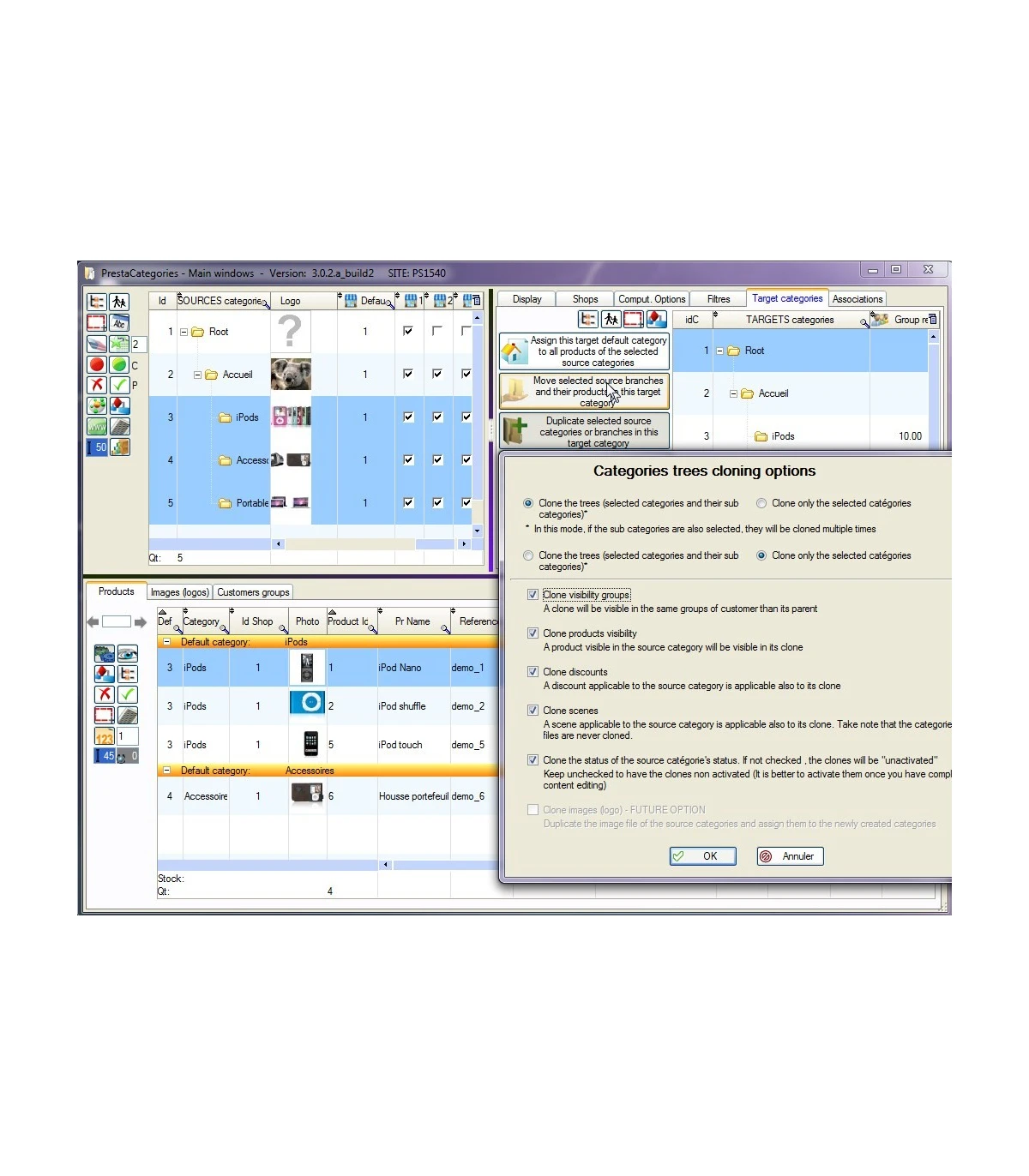
- To clone a tree or selection of categories under any others target categories, with or without their products, scenes, discounts,...
- To move a selection or a tree (or a selection of trees) of families to a different location in the tree (in one click !).
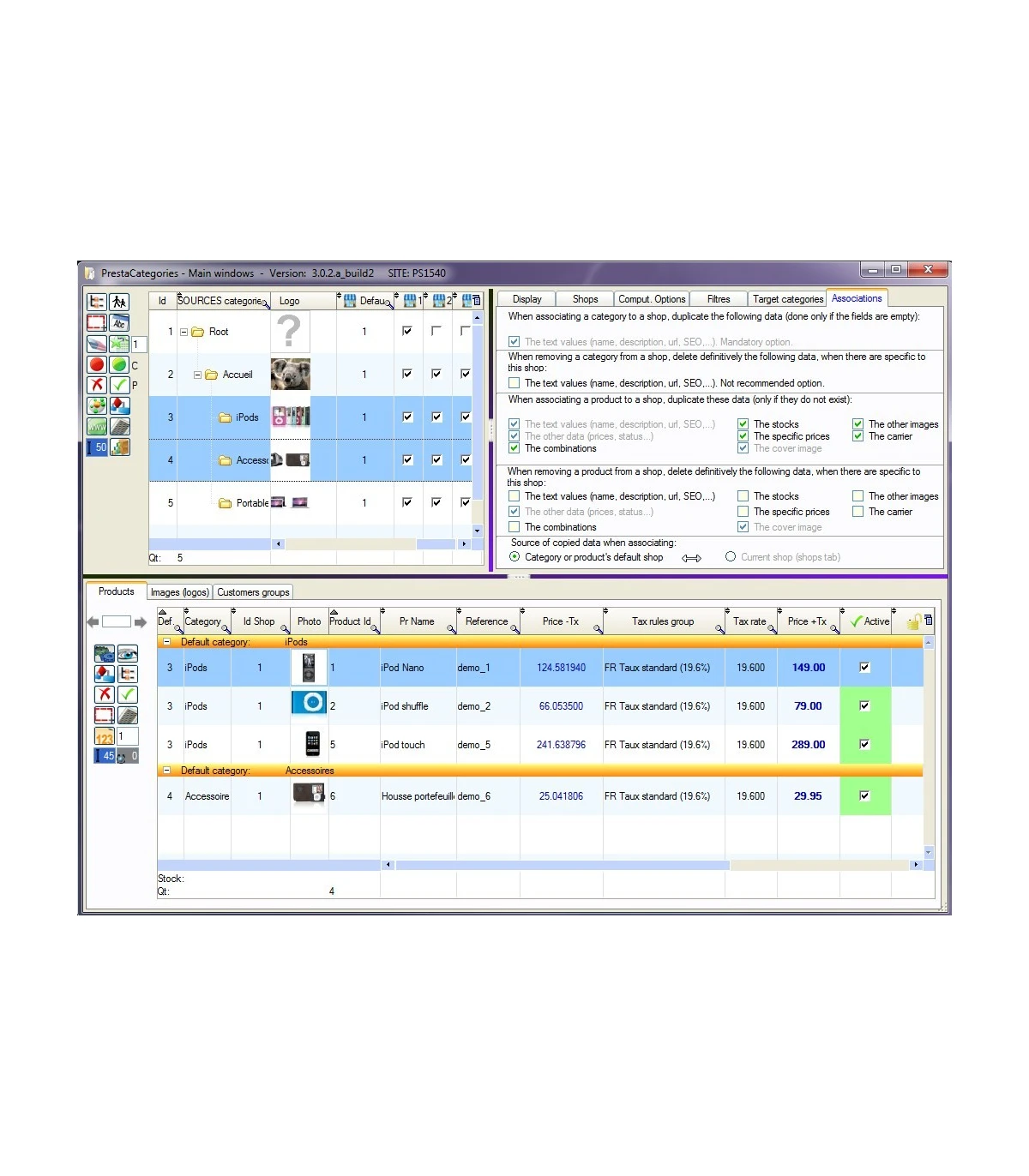
- To make visible (associate) , link or unlink, a selection or all products to a category or a selection of categories.
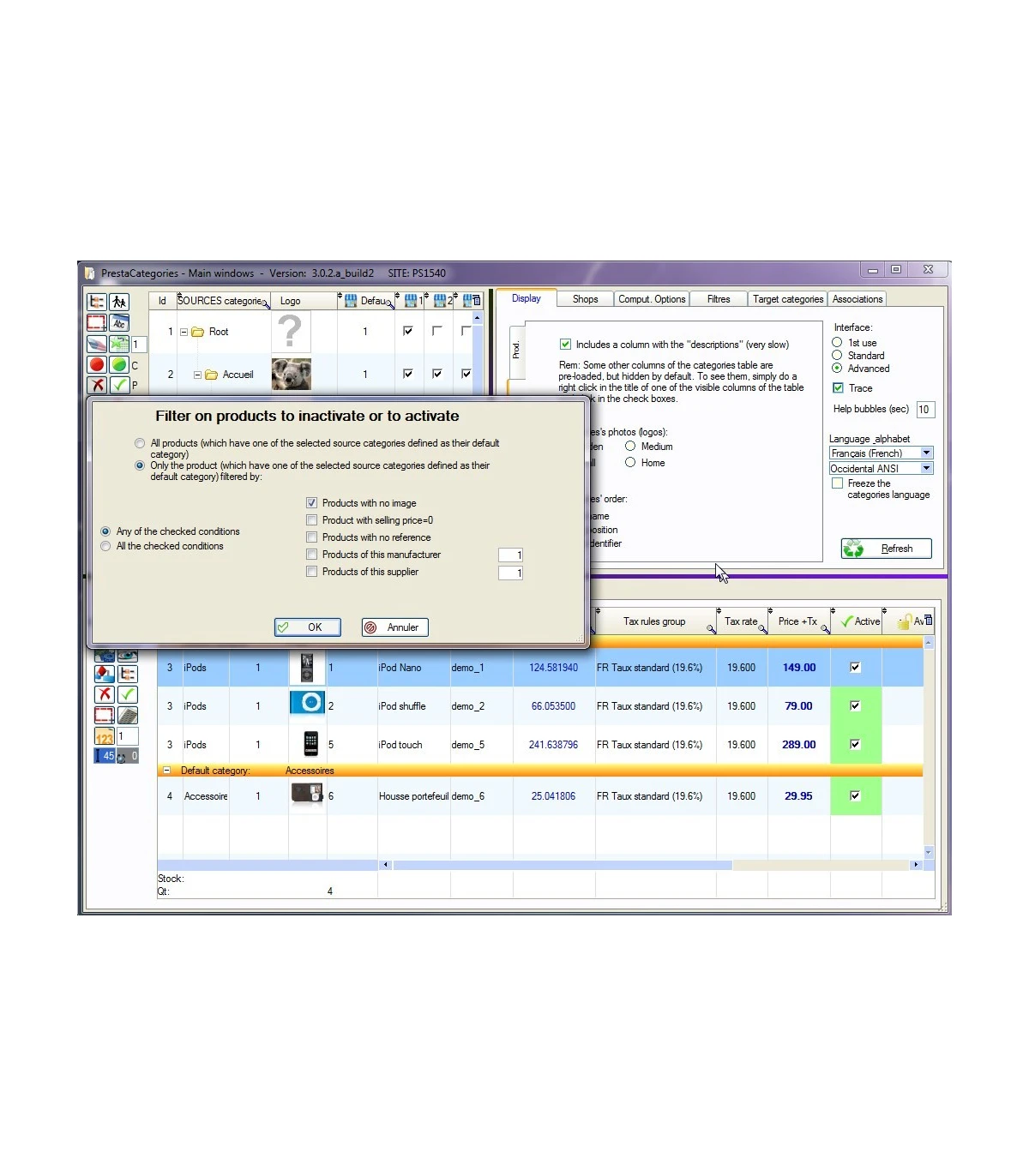
- To activate /deactivate a set of products and / or categories.
- To create new, edit (HTML form included), delete categories, in all languages.
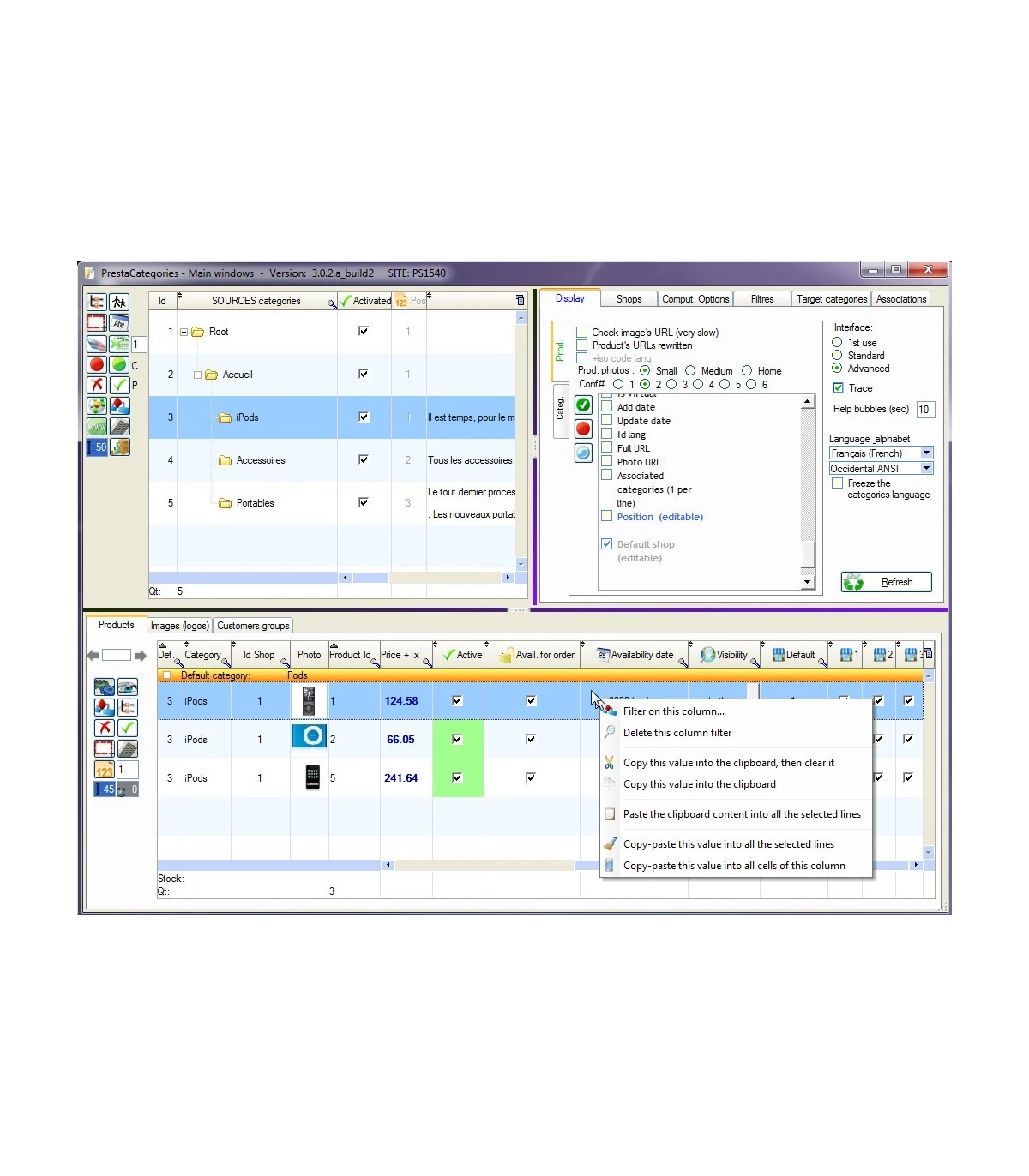
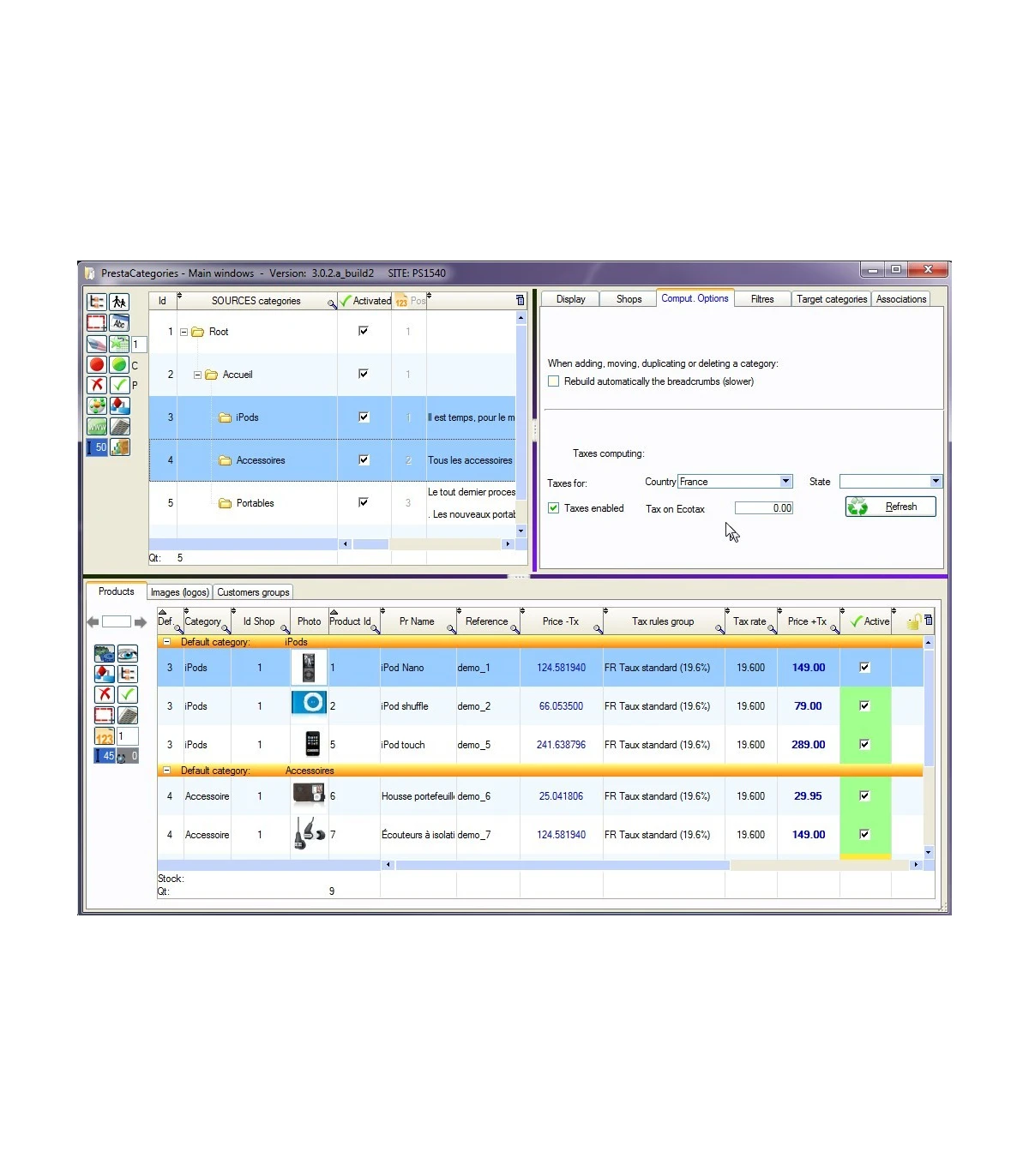
- To quickly visualize the list of products of one or more categories (selection possible between "visible" products and products having this category as default category).
- Taxes prices calculated for any country / state (from Prestashop V1.4).
- To create new groups of customers, to bulk associate them to categories, to bulk manage discounts of groups and discounts per category per group.
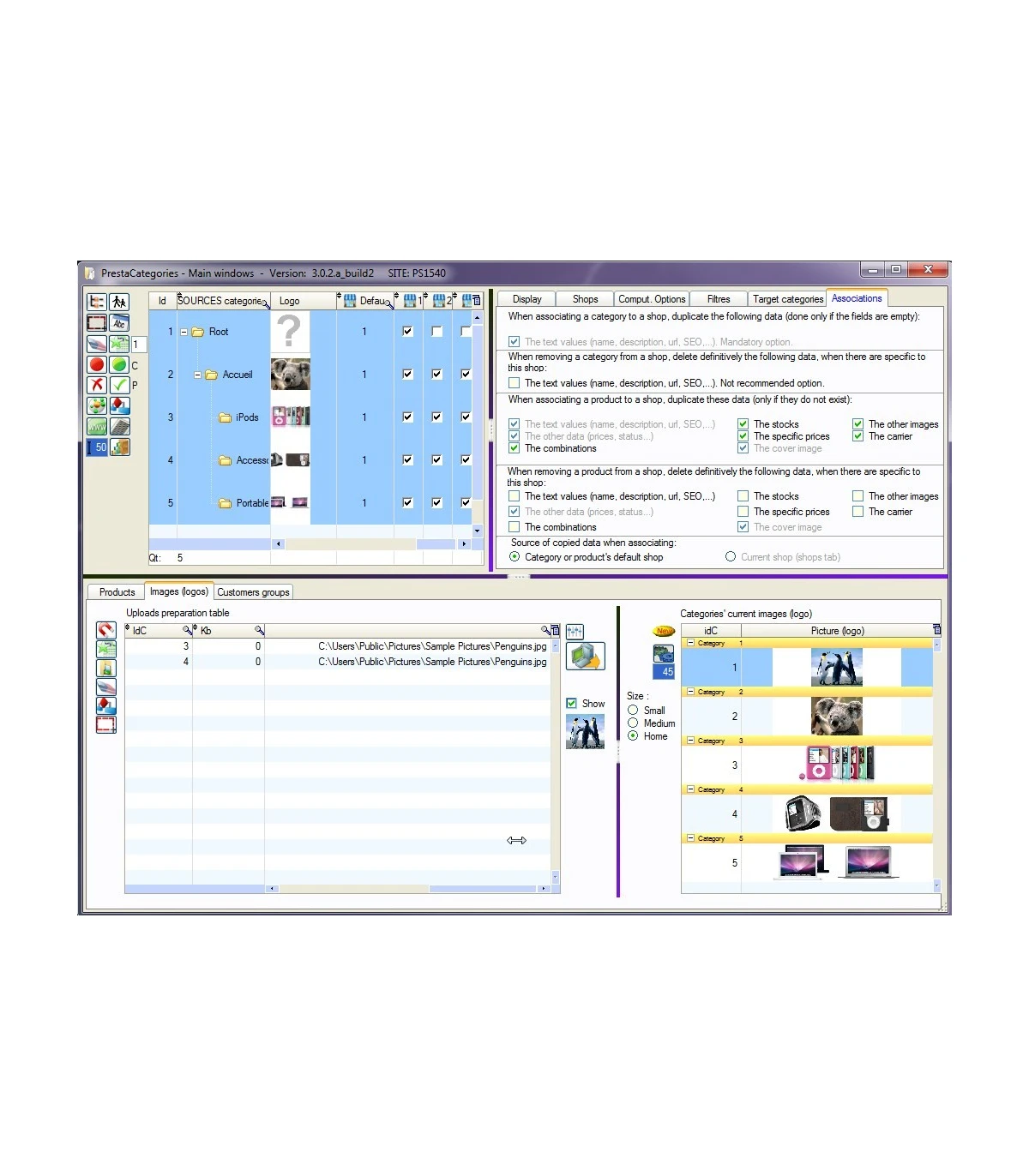
- To mass upload images of categories
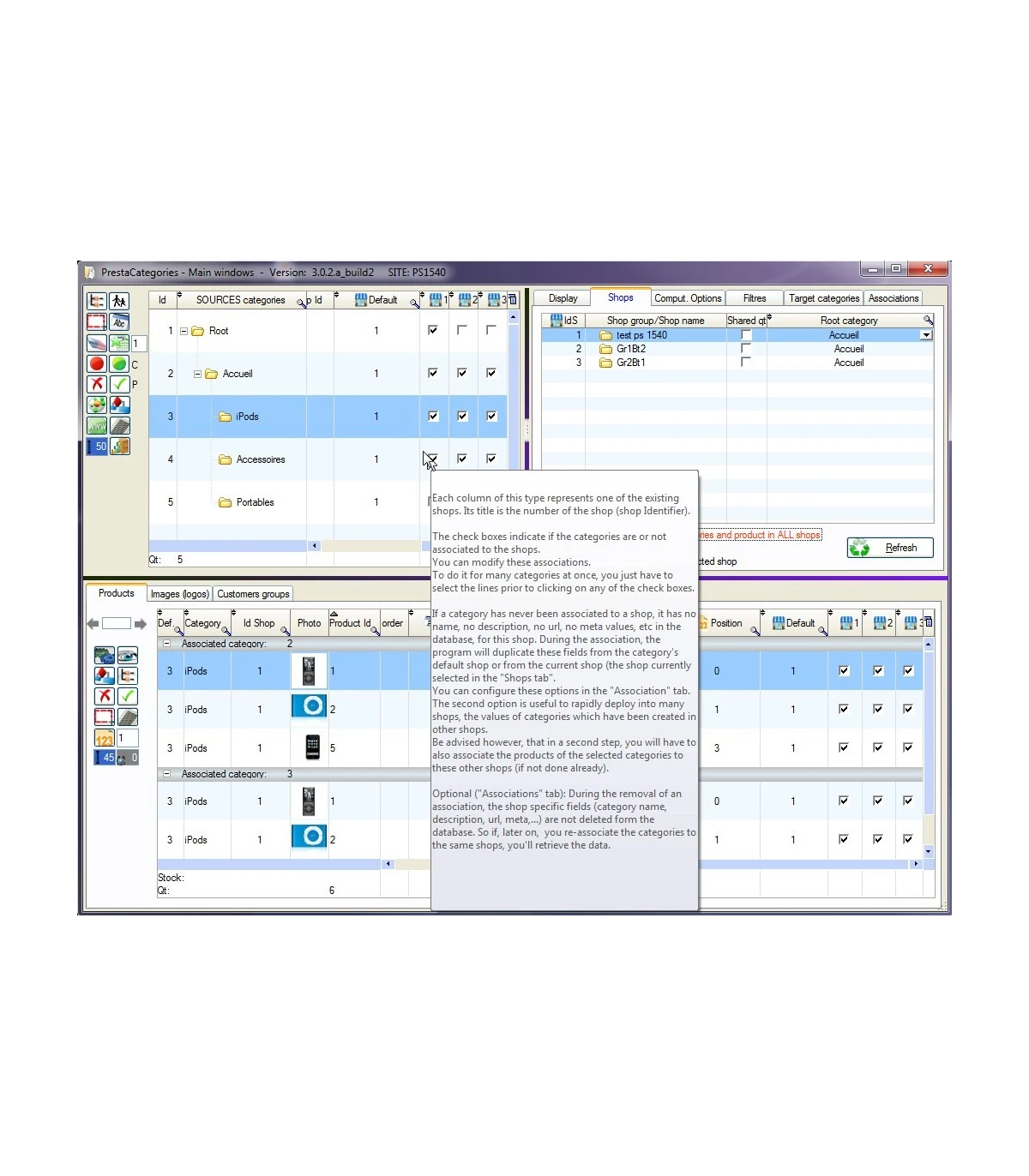
In a multi shops context (PS 1.5 and above), to bulk associate products and categories to the shops.
- To repair a broken database structure and parent-child liaisons. For instance to repair the categories tree or to re-attach orphan categories or products.
PrestaCategories and PrestaPricing are now talking to each other. PrestaPricing, which integrates a very powerfull tool to import lists (xls,xlsx, csv) of products and combinations, is now also capable (when PrestaCategories is also running on the same PC) to create the missing categories during the import. This is the ultimate solution for instance to enterely migrate your catalog, with products, combinations, categories, images,... from an old Prestashop version into a more recent one.
Second part of the training on PrestaCategories, going into details - part 2/2 ( duration 30mm):
This second part of the tutorial is explaining the role of each button of the interface. Topics covered: all buttons purpose is presented one buy one, change categories order, right click pop up menu, left panel, paginators, HTML editor,...
Connection to ALL servers
- Like PrestaPricing, PrestaCategories is a Windows application which connects to the database by https in a totally secure manner (16bits encryption key).
- It uses a special connection module for Prestashop (Sitolog Application Connect), provided with the application. The connection works even on shared servers, without requiring to open the 3306 port. It does NOT need to activate the SSH protocol either.
- Does not require to install any additional pluggin on the server.
- The installtion is simple, takes less than 5 min. Will assign you free of charge if you get any trouble.
- Only exception: Like many other modules, cannot be installed on PrestaBox, as Prestashop has blocked the FTP access on this platform.
Known limitations:
- When cloning a category and its content, there is no creation of new products. The products of the cloned category are simply declared visible in the new categories.
Languages:
- Available in French and English. Full support of UNICODE (all UTF8 alphabets)
Compatibility:
- Fully tested with Prestashop versions 1.2, 1.3, 1.4, 1.5, 1.6 and now 1.7 Not working on 1.1.x and earlier versions of Prestashop. Supports both Prestashop classic and Prestashop Cloud. Requires Microsoft Windows XP, Vista, 7, 8 or 10, 32 or 64 bits. Tested successfully on MAC using Parallels Desktop 8 or later. Tested successfully on Linux using Virtual Box and W8.1 32 bits.
License rights and limitations:
Please read the included license for more details.
- The license is valid for one PC and one site only. Multi users (multi PCs) are also available at a cheap price. The 2 PCs licence is currently offered with each new order.
- If you plan to use the application on multiple sites, you have to purchase a multi sites license. Cheaper than buying multiple licenses, even if our price is highly digressive.
- When purchased with a multi sites license, the application will allows you to save and retrieve the connection parameters for all your sites. A must have feature.
- If you are a developer of sites for customers, you must purchase one license for each of their PCs, in case you plan to distribute this application with your products or services.
- For high volumes of users or PCs, please contact us for a quotation.
Purchase of the current version is giving free access to all future versions during six months.
Installation guide:
The installation is quick and easy. We'll be pleased to support you if you face any difficulty.
Follow the step by step guide (readme-first.txt file contained in the downloaded zip)
Copyright:
MyPhotoRescue & Sitolog 2010-2020
Versions history:
Version 6.2.4.c: Stabilization version
- Modification of the 'repair categories' levels' script to adapt it the the various versions of PrestaShop.
Version 6.2.4.b: Stabilization version
- Fix: Hourglass stop at the end of reading an XLS file containing images
- Switch "Slow (slow)" is not properly anchored in a drawer
- Fix for PS1.7: the categories were erroneously displayed as not associated with the shop and the program forbade in this case to modify them
Version 6.2.4.b: Stabilization version
- Prohibit filter actions on the category tree if all rows have not been read. Rendered to avoid index errors or row pointing errors.
- 1st phase of MAgicEdit (changes to the screen) much faster
- "Correction of the error at line 60 of the procedure Local procedure code_remontant_fiche_category_vers_tables.
- You called the [] operator on the TABLE_ps_category field.
- The specified index [-1] is invalid."
- Progress gauge when reading the database for filling all tables. Allows to follow the progress during the long readings on the big bases.
- Fixed a possible fault in refreshing the product list after modifying the interface from the product rescheduling window
- Fix: When creating a new customer group, the specific discount for the selected target categories only applied in the "Access only to selected target categories" mode. Now also works with the "Access to all categories" mode. The script of the latter mode has also been accelerated.
- Very significant acceleration (gain in speed close to 100%) of the display of products and translations, especially when requesting a very large number of lines. Examples for a dozen basic columns, for 15000 lines, from 120s to 49s, for 5000 lines, from 14s to 10s, for 500 lines, from 4s to 3s.
Version 6.2.3.a: Stabilization version
- The C ++ redistributable DLLs are included with the application, no longer requiring installation in Windows. Best compatibility with all versions of Windows.
- Fixed default placement of the separator between the two tables on the image tab, when the left side panel is padlocked
- Cleaning special characters at the line output of the translation table of categories
- Fixed Bug PC: Changing the name of a category in the Form tab, does not automatically update the same name in the Target Categories table or in the Product table.
- Corrected the update of the various tables when changing languages in the category tab, when automatic backup is enabled
- Refresh button of the translation tab automatic active category the display of the table if not its gear is not already activated (behavior consistent with other tabs also having a refresh button).
- Backup multiple stores (all) data tab tab
- You can use the tab tab to create category translations in languages not yet associated.
- Column combo root categories contains x times the same category (various name per store for hosting)
- Repairing the mode used to create sub-categories, automatically associating them with the same stores as their parent category (and not just the default store in their parent category).
- Added a slider to adjust a zoom display of tables. Very practical with the new 4k and 5k screens like the Surface Pro
Version 6.2.2.a: Stabilization version and improvement of the categories tree repair tools
- Deletion of the table columns scene that no longer exist in PS 1.7
- CKEditor white, invisible, without error when the connection url is wrong (for example an extra space inserted just after the http://.) The new code search and remove this kind of space.
- Fixed a bug which doubles the tax rate used to display prices including tax, when the country doesn't have a State, but the tax rule is set to "combine the taxes"
- Click on a category now allows you to exit the mode "all selected"
- "Fix this error: error on line 62 of the treatment Procedure local relecture_partiel_et_mise_jour_fil_ariane_a_l_ecran_lignes_selectionnees.<br>
- You called the operator [] on the TABLE_ps_category2 field."
- If unable to load the CKEditor, sheet tab is automatically disabled to prevent them from accidentally erase the descriptions
- Auto repair (de-activated) levels during each refresh of the list of categories and the launch of the app.
- Possibility to confirm to the program or to indicate the number of the root category ()(PS 1.5) or home (before PS 1.5), Root in the tree repair window. Which allows to fix the basics when even the root category root (nleft or level <> </>1 for example)
- Possibility to attach orphan categories or orphan products to home category, to the version prior to 1.5 PS
- New function of automatic creation of the Root category (PS > = 1.5) or Home (PS <1.5) if missing
Version 6.2.1.a: Stabilization and speed improvement version
- Repair recovery the database in POST mode name
- Added an option to disable encryption of sent SQL queries, for resolution slow decryption on some servers.
- Fixed a severe bug: products Deleting removes specific prices that are not associated with a particular store for all products
Version 6.2.0: Adding compatibility with PrestaShop 1.7
Version 6.1.2.b:
- Review of taxes during the selection of another country or State
- Country_behavior and state_behavior replaced by behavior in the tax_rule, since ps 1.5 table. Review code of reading of the tax for countries with States.
- Maximization of the window containing the control panel detected and banned (the user always realizing this operation by accident and could not go back)
Version 6.1.2.a: Stabilization version. Better compatibility with the stocks advanced management mode.
- Deletion of products: do not delete products that are advanced inventory management mode (may vary according to the shops) and who have stock in warehouses
- . Normal they are never enabled by default in PS for a while. OK if we enable them (and generates).
- Turning off AutoCorrect (annoying) when using the editor HTML CKEditor in raw text ("source" button) mode
- Error on line 344 of click on BTN_move_all_selected_categories_and_products treatment. You called the function TableSelectMoins. The specified index is invalid.
- MagicEdit, deletion confirmation step 1 and in confirmation step 2, offering at the same time close the window (2 actions less in the process).
- The texts and windows keep the same size even if the mode of afichage of Windows is different from 100% to avoid the display defects (fields that overlap)
- Tab sheet don't be refreshed not well when changing its tail on the screen
- Backup the changes made in the plug when you turn off the afficahge of the Sandra nail, if auto backup is checked
- Association of a product in a shop-online recalculation of its qunatite available from existing stocks in warehouses to store access (if it is in mode "Advanced inventory management" and 'quantities according to stocks in warehouses' in the store serving as a model).
- Change default category-online frocer make it visible in news, PrestaShop
- The sort order of products in a category. The calculation of the new order (step 5) became very long: 10 minutes to reorganize 80 products, even for 15 products is several minutes. Before it took 1 to 2 minutes. After correction: 20 sec.
- See capture screen, during training, it has proved impossible to remove on a greenfield site 1.6.1.7 (emptied) categories under home (recursive selection). crash indicating 3.neft missing.
- Support of FTPES (explicit TLS) connections on servers without authentication (encryption only) or certificate invalid.
- The selection of a single product by several already selected don't rafraichait no other tables or the lite selected products in-house.
- Double click on the button "Set all" trees of categories posing software in the old way of loading of categories (not progressive), to the next application startup.
- On the use of the buttons "set all" help (single vs double click)
- PHP 7.0 support
- PDO support (alternative to mySQLi)
- Detecting the presence of CKEditor on the server
- mode "grouped by associated categories, with column photos, the sproduits are listed twice, including once with no photo.
- The linearistion of positions after a re-scheduling of products is optional.
- Crash if we tick "open the window of repair of the ardorescence" in the login window and then launch directly a repair of the breadcrumb, pointing streaming the main window does not exist.
- Uknown column in imshco.cover we clause during the afficahge of the products on a ps 1.5.0.17. Cause: column cover photo. Of that cover is dasn table image_shop from version 1.5.1.0.0
- on ps1541 products do not appear when I chose a category, ok when I the seletionnet all.
- The association of a product in a store now runs the notion of shared amounts, when copying the amount since the model shop. Whether the model shop, which is part of a group with shared amount, or store to associate, or both. This is also managed with the product which stocks are managed in the warehouses.
Version 6.1 and 6.1.1: Integration of the famous CKEditor (one of the best HTML editor of the market)
Correction of two major bugs:
- Deletion of a product may end to reset to 0 products quantities. Occured only in group of shop with shared quantities.
- Fast navigation between products may end in mixing products data. Occured only when the form tab is activated in auto-saving mode.
Version 6.0 (major release): major speed improvement (up to 100x), see here ou comparative test
Version 4.0 (major release):
- New interface
- New ergonomy
- New description tab (HTML editor)
- Super paginator
- Button to bulk delete products
Version 3.5 (major release):
- Tables refresh is up to 7 times faster, thanks to a local cache of products and categories' photos.
Version 3.4 (major release):
- Beside many new features, brings the compatibility with Prestashop 1.6
Version 3.0.2 (stabilization version):
- Management of the new parameter cache_default_attribute of the product_shop table for PS 1.5
- Fix: Some products may appear several times in the back and front office
Version 3.0 new features (major release):
- Full support of Prestashop 1.5 and its multi-shop mode
Version 2.5 new features:
- Management of links between customers groups and categories. Setting of the specific prices per group and category.
- Tool to massively upload categories photos.
- Another step achieved in term of a speed.
Version 2.0.1.a new features:
- Loading of categories is about 25 time faster !
- Loading of products is about 30 time faster !
- New connection windows supporting multi sites, likePrestaPricing
- New editable column in the categories table
- Meta description
- Meta title
- Meta keywords
- Link rewrite
- Image map Id
- Many user interface improvements:
- Product's names placed on the left side
- Buttons "select all"
- Categories counter
- Synchronization of the two categories tables' elevators (on mouse wheel usage)
- Search tool on families' names
- Categories trees showing only the 1st level on opening
- Buttons "expand, collapse all"
- Categories tables' title bar limited to one line (avoids vertical shift between the two tables)
- Possibility to change the image map Id assigned to each category
- Support of 13 alphabets, in addition to ANSI occidental, like PrestaPricing
Version 2.0.1.b:
- Correction of a bug causing categories level to be wrongly set in some situations, when using the move categories tree button.
Data sheet
- Latest public version :
- 6.2.4.c.build1
- Sitolog connector version :
- 7.3.a
- Prestashop compatibility :
- 1.2, 1.3, 1.4, 1.5, 1.6, 1.7
- Application format :
- Windows application (10, 11). On MAC, use Parallels Desktop or VMWare. On Linux use Virtualbox.
- Languages :
- French, English
- Requires to modify Prestashop core :
- No
- file size :
- 330Mb
- Multi-sites licence option :
- Yes
- Minimum screen definition :
- 1024x768